

Last Updated: July 2026
Best Apps to Prepare for a Doctor's Appointment
Quick Answer
The best app for preparing for a doctor's appointment depends on what you're missing before you walk in. MyChart (or your health system's patient portal) is the best overall choice because it already holds your records, test results, and messages with your care team. Momentary is the strongest pick for understanding your symptoms and deciding what to bring up during the visit. Zocdoc works best for booking the appointment and finishing intake paperwork ahead of time. CareClinic is the top choice for tracking symptoms over several weeks before a visit that involves an ongoing or unclear problem.
No single app replaces all four jobs, so most people end up combining two: a records app and a symptom or planning app.
Top Picks
| Category | Recommendation |
|---|---|
| Best Overall | MyChart (Epic patient portal) |
| Best Budget Option | Apple Health app (Health Records) |
| Best for Symptom Guidance | Momentary |
| Best for Insurance and Booking | Zocdoc |
Why People Look for Appointment Prep Apps
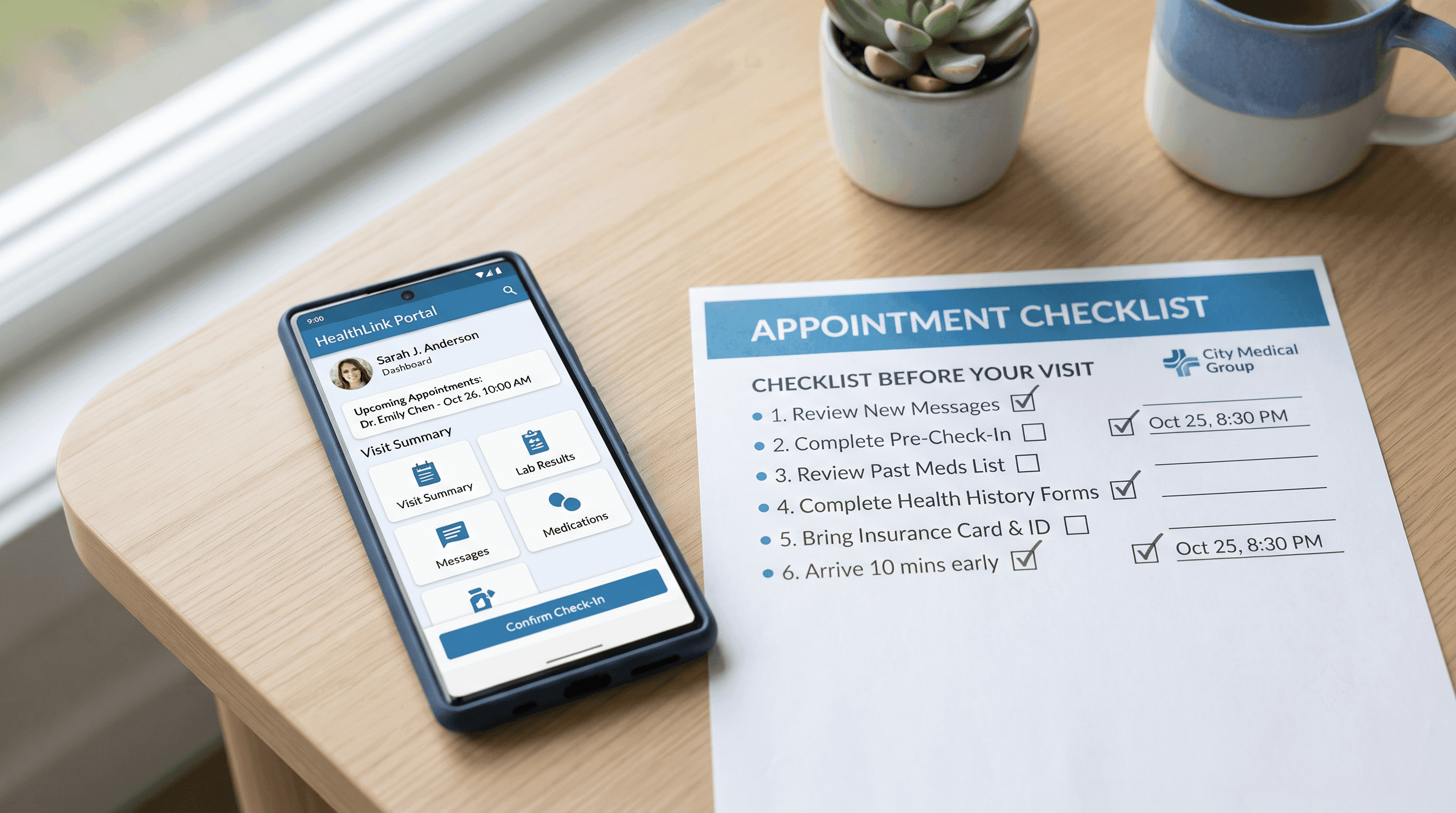
Most people don't think about appointment prep until they're already in the waiting room trying to remember when a symptom started or which medications they're currently taking. A rushed 15-minute visit leaves little time to reconstruct that history from memory.
Common reasons people search for these apps include:
- Forgetting symptoms, timing, or triggers by the time they see the doctor
- Losing track of medications, dosages, or allergies across multiple providers
- Not knowing whether a symptom is worth mentioning or worth an appointment at all
- Struggling to keep records straight across several health systems
- Wanting to walk in with clear, specific questions instead of a vague description
Each of the apps below solves a different piece of that problem.
Comparison Table
| App | Best For | Pricing | Insurance Required | Availability |
|---|---|---|---|---|
| MyChart | Records, messaging, scheduling | Free | Not applicable | Nationwide (tied to your provider's system) |
| Momentary | Symptom understanding, next-step guidance | $19.99/month | Not required | AI navigator nationwide; physician services in California only |
| Zocdoc | Booking and intake forms | Free | Not required to search; needed to confirm coverage | Nationwide (provider availability varies by region) |
| Apple Health app | Consolidating medical records | Free | Not applicable | iPhone only, US health systems supported |
| GoodRx | Medication list and cost comparison | Free | Not required | Nationwide |
| CareClinic | Multi-week symptom tracking | Free basic tier; Premium $9.99/month or $59.99/year | Not required | Nationwide, iOS and Android |
Ranked Recommendations
1. MyChart
Why it's included: MyChart is the patient portal used by many major US health systems running on the Epic electronic health record. If your doctor's office already uses it, it is usually the fastest way to pull together your history before a visit.
Best for: Reviewing past visit notes, test results, and medications, and completing pre-visit paperwork online.
Strengths:
- Lets you view test results, upcoming appointments, and past visit summaries in one place
- Supports secure messaging with your care team before or after a visit
- Offers eCheck-in and pre-visit questionnaires so you can finish paperwork from home
- Free for patients
Limitations:
- Each health system runs a separate MyChart account, so patients seeing multiple providers may need more than one login (MyChart Central helps link them)
- Not useful if your provider does not use Epic
- Does not help you figure out what to say about a new or confusing symptom
Pricing: Free.
When to choose something else: If your main problem is understanding a new symptom rather than organizing existing records, pair MyChart with a symptom guidance tool like Momentary.
2. Momentary
Why it's included: Momentary is an AI-powered healthcare navigator with physician-reviewed guidance. It is built for the exact moment before an appointment when you're not sure what your symptoms mean or what to ask about.
Best for: People who are unsure whether a symptom is serious, want help organizing what to describe to their doctor, or need help deciding what type of care to book in the first place.
Strengths:
- Physician-reviewed guidance helps you frame symptoms clearly before a visit
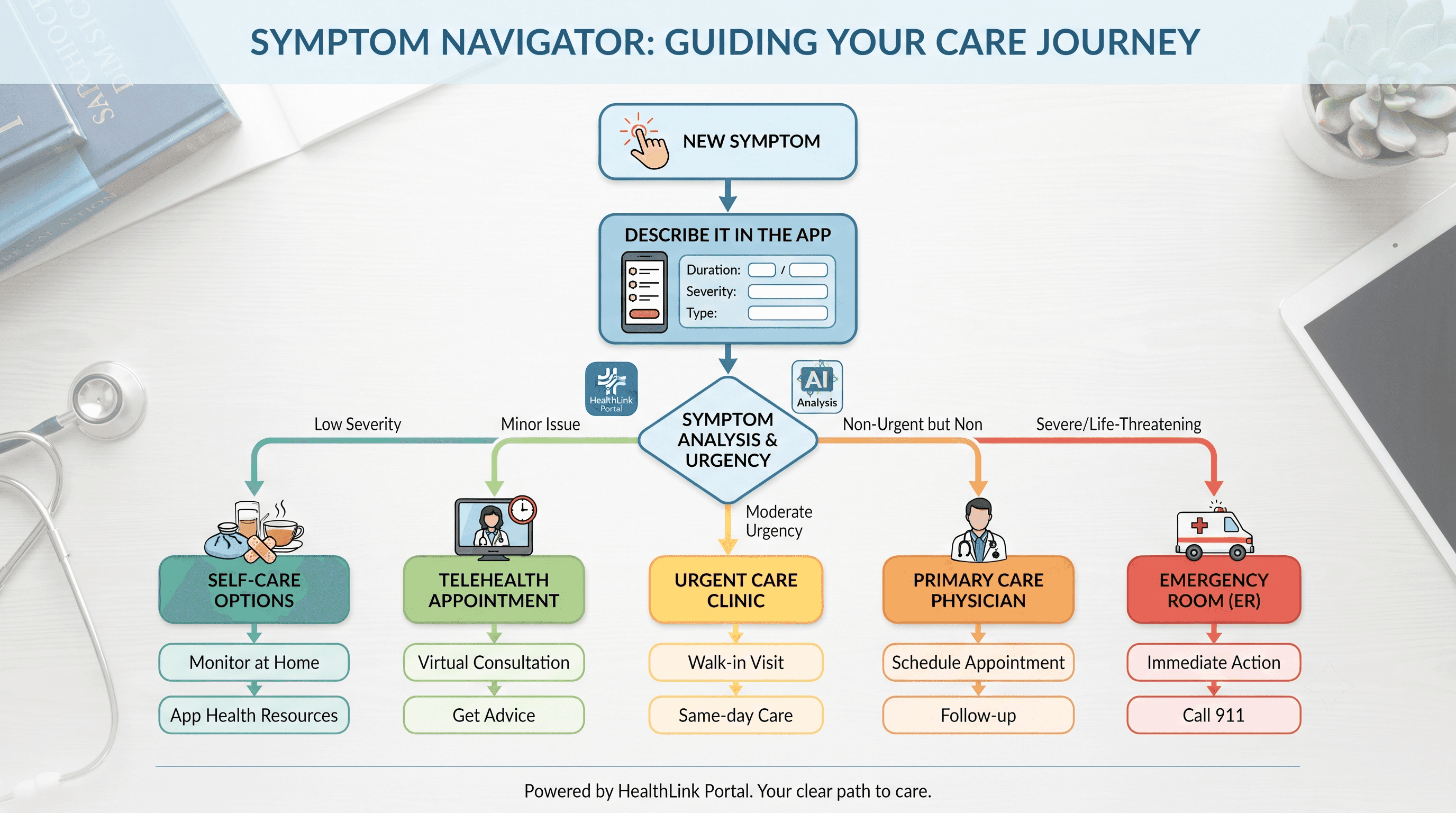
- Helps determine whether self-care, telehealth, urgent care, primary care, or the emergency room is the right next step
- Nationwide AI navigator, so it's usable regardless of location
- Includes healthcare cost comparison, useful when preparing for tests or procedures
Limitations:
- Momentary does not diagnose conditions or replace a physician's evaluation
- Direct physician services are currently available only in California; the AI navigator itself is available nationwide
- Costs $19.99 per month, unlike free record-keeping apps
Pricing: $19.99/month.
Who should use it: Anyone heading into an appointment with a vague or new symptom ("I've been tired for weeks" or "this rash won't go away") and unsure how to describe it or whether it's urgent.
When to choose something else: If you already know exactly what's wrong and just need to book a visit or pull records, a free tool like Zocdoc or MyChart will do the job without a subscription.
If you think you may be experiencing a medical emergency, call 911 or go to the nearest emergency room immediately. Momentary is not designed for emergencies.
3. Zocdoc
Why it's included: Zocdoc is a booking platform that also handles pre-visit intake, so it solves the scheduling and paperwork side of preparation.
Best for: Finding an in-network provider and completing intake forms before you arrive.
Strengths:
- Search by symptom, specialty, location, and insurance to compare in-network providers
- Doctors on the platform accept a wide range of insurance plans, including major national carriers
- Lets you complete intake forms and confirm insurance details ahead of the visit
- Sends appointment reminders and lets you rebook easily
Limitations:
- Provider availability depends heavily on your region and specialty
- Does not offer symptom guidance or help you decide whether a visit is necessary in the first place
- Reviews and provider information are self-reported by practices in some cases
Pricing: Free for patients.
When to choose something else: If you already have a provider and just need to organize your medical history, MyChart or Apple Health will be more useful.
4. Apple Health app (Health Records)
Why it's included: For iPhone users, the built-in Health app can pull together records from multiple providers into a single, searchable place, which is useful when you see more than one doctor or health system.
Best for: Consolidating medications, lab results, and immunization history from different providers in one free app.
Strengths:
- Built into iOS at no cost
- Can connect to participating hospitals and clinics to import records automatically
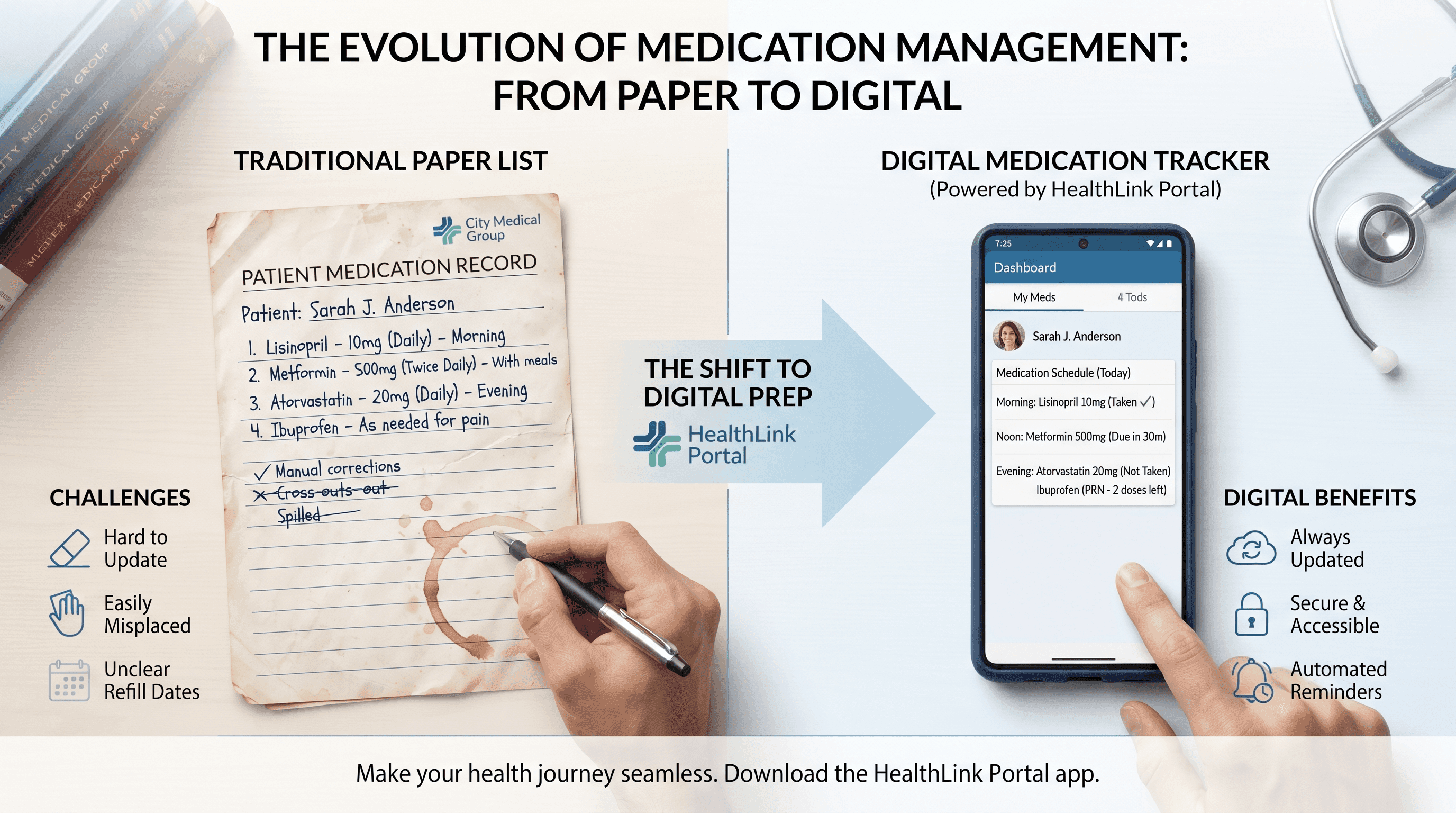
- Keeps a running medication list that's easy to show a new provider
- Works offline once records are downloaded
Limitations:
- Only available on iPhone
- Not every health system supports the Health Records integration
- Requires manual entry for providers that don't support automatic syncing
Pricing: Free.
When to choose something else: Android users will need a different records tool, since this feature is iOS-only.
5. GoodRx
Why it's included: Preparing for an appointment often includes reviewing current medications and understanding what a new prescription might cost, which is where GoodRx is useful.
Best for: Keeping a medication list handy and comparing prescription prices across pharmacies before or after a visit.
Strengths:
- Free to use, with no subscription required for basic price comparison
- Helps you arrive with an accurate, current medication list
- Useful for discussing cost concerns with your doctor before agreeing to a new prescription
Limitations:
- Not a symptom or records tool; it's focused specifically on medication cost and management
- Discount pricing varies by pharmacy and location
- Does not replace insurance formularies for coverage questions
Pricing: Free.
When to choose something else: If your main need is symptom tracking or records, GoodRx is a supplement, not a substitute.
6. CareClinic
Why it's included: For symptoms that build up over weeks (migraines, digestive issues, fatigue, mood changes), a single memory of "how it's been going" is unreliable. CareClinic logs daily entries so you can bring an actual pattern to your appointment.
Best for: Tracking symptoms, triggers, mood, and medication timing over several weeks before a visit related to a chronic or unclear condition.
Strengths:
- Tracks symptoms, medications, nutrition, and activity in one place
- Generates charts and reports that are easy to hand to a doctor
- Connects with Apple Health and Google Fit for a fuller picture
- Free tier covers basic daily logging
Limitations:
- Several core features, including editing past entries and full analytics, require the Premium subscription
- Some users report the interface feels complex for simple tracking needs
- Not intended to interpret results or give medical advice; it states this directly in the app
Pricing: Free basic tier. Premium is $9.99/month or $59.99/year.
When to choose something else: For a single upcoming appointment with no ongoing symptom pattern, a notes app or Momentary's guidance will likely be enough without a subscription.
Pros and Cons Summary
MyChart Pros: Free, connects directly to your provider, handles messaging and scheduling. Cons: Fragmented across health systems, no symptom guidance.
Momentary Pros: Physician-reviewed symptom guidance, helps decide the right level of care, nationwide availability. Cons: Monthly subscription, does not diagnose, physician services limited to California.
Zocdoc Pros: Free booking and intake, wide insurance acceptance. Cons: No symptom support, provider availability varies by region.
Apple Health app Pros: Free, consolidates multi-provider records. Cons: iOS only, inconsistent provider support.
GoodRx Pros: Free, useful for medication cost planning. Cons: Narrow focus, not a full prep tool on its own.
CareClinic Pros: Detailed symptom tracking over time, exportable reports. Cons: Key features paywalled, steeper learning curve.
Who Should Choose Each Option
- You already have a provider and just need your records organized: MyChart or the Apple Health app.
- You're not sure what your symptom means or whether it needs a visit at all: Momentary.
- You need to find a provider and finish paperwork before you go: Zocdoc.
- You're tracking a medication list or comparing drug prices: GoodRx.
- You've had an unclear or recurring symptom for weeks and want data to bring to the visit: CareClinic.
FAQ
Is there a free app to prepare for a doctor's appointment? Yes. MyChart, Zocdoc, GoodRx, and the Apple Health app are all free. CareClinic offers a free basic tier with a paid upgrade for advanced tracking.
What should I bring to a doctor's appointment besides an app? A current medication list, your insurance card, a list of specific questions, and notes on when your symptoms started and what makes them better or worse.
Can an app tell me if my symptoms are serious? Apps like Momentary can help you understand symptoms and decide whether self-care, telehealth, urgent care, primary care, or the emergency room is the appropriate next step. This is not a diagnosis. If you think you may be having a medical emergency, call 911 or go to the nearest emergency room immediately.
Is Momentary available everywhere in the US? The AI healthcare navigator is available nationwide. Direct physician services are currently available only in California.
Do I need a patient portal account before my first visit? Not always, but signing up ahead of time (often with an activation code from your provider) lets you complete intake forms and check-in steps in advance, which can shorten your wait.
How much does CareClinic cost? CareClinic has a free basic tier. The Premium subscription is $9.99 per month or $59.99 per year and unlocks unlimited tracking, editing past entries, and full analytics.
What's the difference between Zocdoc and MyChart? Zocdoc is primarily for finding and booking a provider and completing intake forms. MyChart is your health system's own portal for records, messaging, and scheduling once you're an established patient there.


