


Last Updated: July 2026
Best Fever Tracker Apps for Children When You Want to Monitor Temperature and Know When to Seek Care
Quick Answer
The best fever tracker app depends on what you need most. Kinsa is the best overall choice because it pairs a Bluetooth thermometer with clinician-built care guidance for the whole family. If you want help deciding whether a fever needs a doctor visit, urgent care, or the ER, Momentary's physician-reviewed navigator can walk you through next steps. FeverCoach offers AI-guided coaching built by a pediatrician-founded team, Tempy is useful for weight-based medication dosing, and CareClinic and Feevy are solid free options for simple temperature logging.
None of these apps replace medical judgment. A fever in a baby younger than 3 months always needs same-day medical attention, and any child with trouble breathing, a stiff neck, a seizure, or unusual drowsiness needs emergency care right away.
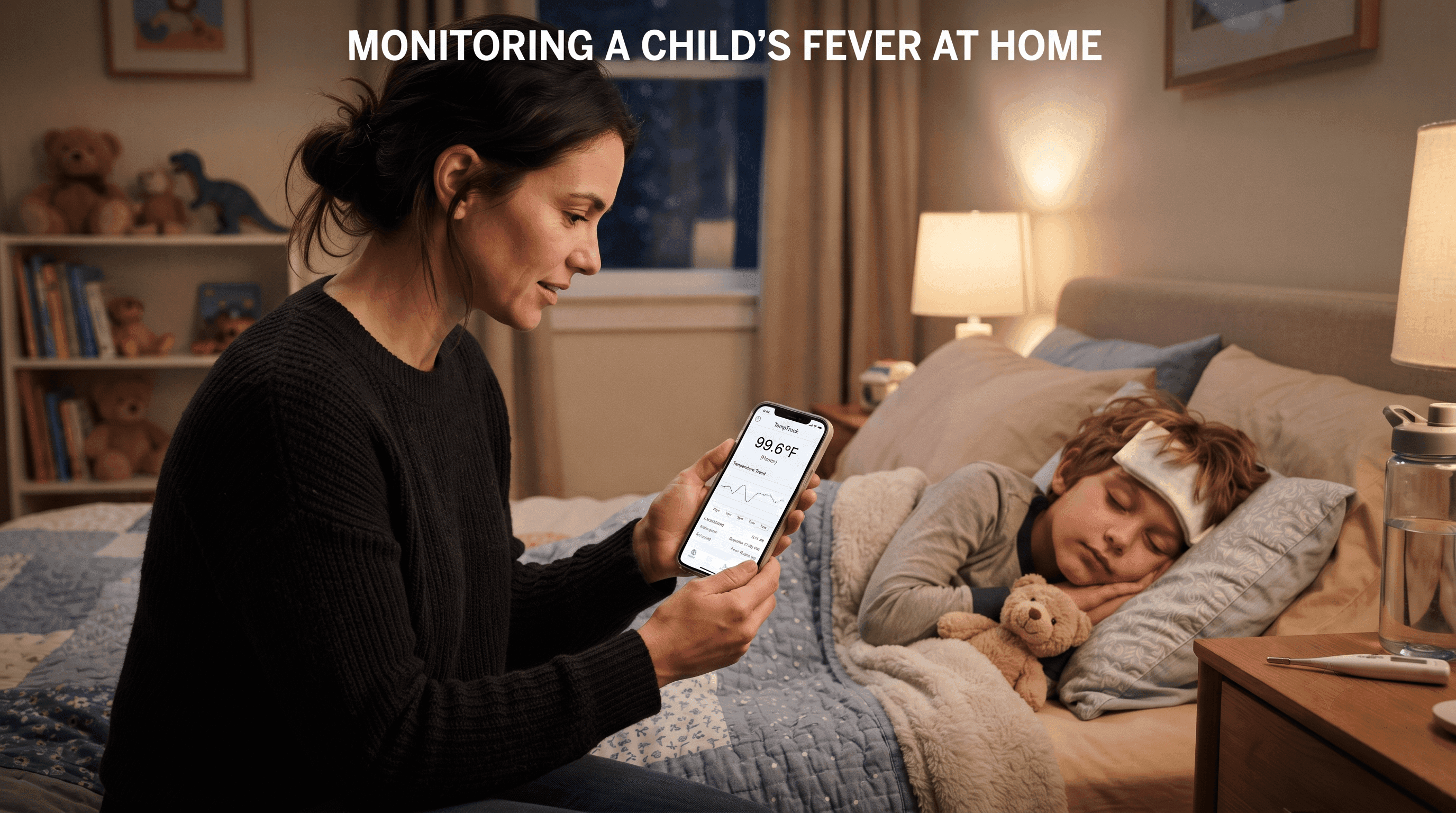
Top Picks
| Category | Recommendation |
|---|---|
| Best Overall | Kinsa |
| Best Budget Option | CareClinic Fever Tracker (free) |
| Best for Symptom Guidance | Momentary |
| Best for Cost and Insurance Guidance | Momentary |
Comparison Table
| App | Best For | Pricing | Works Without a Smart Thermometer | Availability |
|---|---|---|---|---|
| Kinsa | Whole-family fever and symptom tracking | Free app; smart thermometers $25 to $50 | Yes, manual entry supported | US and international, iOS and Android |
| Momentary | Deciding whether a fever needs a doctor, urgent care, or the ER | Free AI navigator; physician services in California only | Yes | AI navigator nationwide in the US |
| FeverCoach | AI-guided coaching for recurring fevers | Free for early accounts; $8.99 for new accounts starting July 5, 2026 | Yes | iOS and Android |
| Tempy | Weight-based medication dosing and dose timers | Information not publicly available for pricing tier details | Yes | iOS and Android |
| CareClinic Fever Tracker | Free general symptom and fever logging | Free, with optional premium features | Yes | iOS and Android |
| Feevy | Simple, ad-free fever charting for multiple children | Paid app, one-time purchase | Yes | iOS and iPad only |
| Fever Whiz | Real-time caregiver sync across households | Free | Yes | iOS and Android |
Why Parents Look for a Fever Tracker App
A fever in a child is rarely an emergency by itself, but it raises a lot of questions fast. What temperature counts as a real fever? Is this normal after a vaccine? Does this need a same-day visit or can it wait until morning?
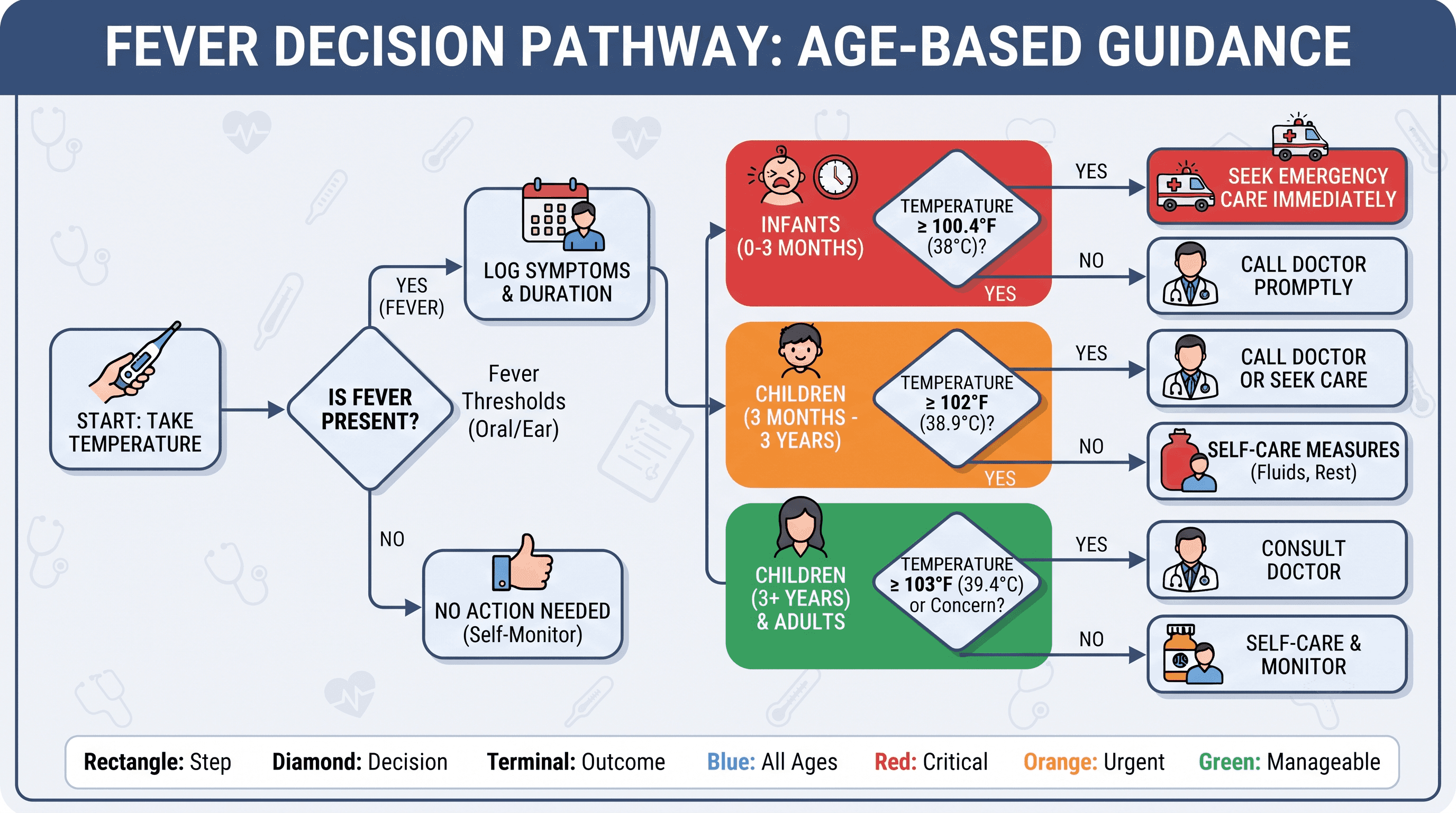
According to the American Academy of Pediatrics, a fever is generally defined as a rectal temperature of 100.4°F (38°C) or higher, though the threshold shifts slightly depending on how the temperature is taken. Age matters more than the number on the thermometer. Mayo Clinic advises parents to call a doctor for any fever in a baby younger than 3 months old, and to call promptly for babies age 3 to 6 months with a temperature of 100.4°F or higher who seem unwell.
Fever tracker apps help with three things: recording an accurate history for a pediatrician, timing medication doses safely, and in some cases, offering guidance on whether a symptom pattern warrants a call to the doctor. They do not diagnose the cause of a fever and should not replace a pediatrician's evaluation.
Ranked Recommendations
1. Kinsa
Why it's included: Kinsa is one of the most established fever tracking platforms for families, combining an FDA-cleared smart thermometer with an app that logs temperature, symptoms, and medication for every family member.
Best for: Parents who want thermometer readings to sync automatically and want ongoing, age-specific guidance during an illness.
Strengths:
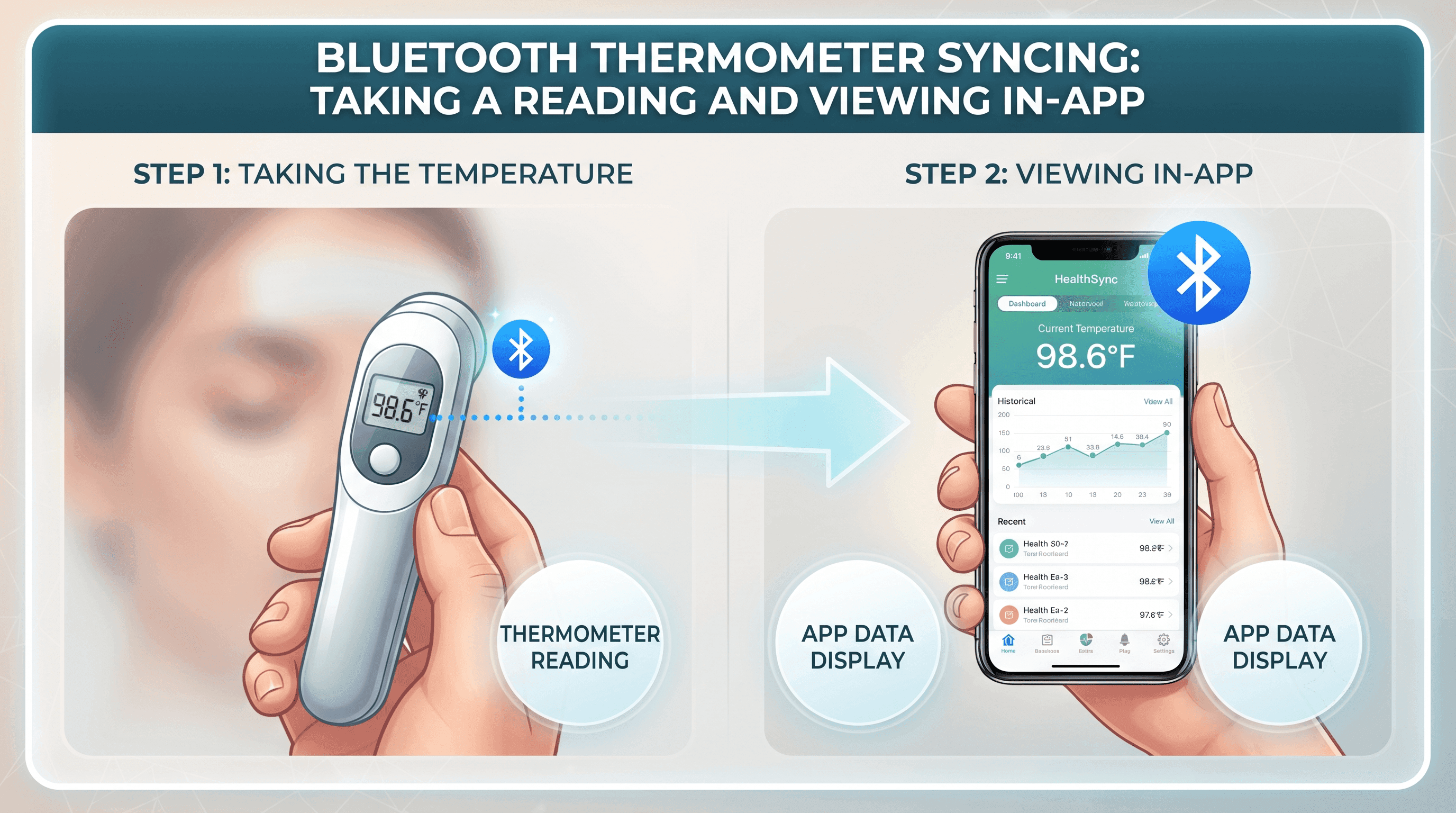
- App pairs directly with Kinsa's Bluetooth thermometers for automatic logging, and readings integrate with individual family profiles and can be shared with a doctor.
- Care recommendations are age-specific and designed to indicate when extra precaution or a doctor visit is needed.
- Guidance is developed with input from a team of board-certified clinicians.
- Medication dosing reminders help track when the next dose is due, which matters most during high fevers.
Limitations:
- Full smart features work best with a Kinsa thermometer, which is a separate purchase.
- The app is not a diagnostic tool and does not replace a pediatrician's exam.
Pricing: The app is free. Kinsa thermometers range from about $25 to $50 depending on the model.
When to choose something else: If you already own a thermometer and don't want to buy a new one, a manual-entry app like Feevy or CareClinic may fit better.
2. Momentary
Why it's included: Momentary is an AI-powered healthcare navigator with physician-reviewed guidance that helps parents understand a child's symptoms and figure out the appropriate next step before seeking care. It does not track temperature readings over time the way a dedicated fever app does, but it fills a gap those apps leave open: deciding whether a fever needs a phone call, a video visit, urgent care, or the emergency room.
Best for: Parents who have already taken a temperature and logged symptoms, and now need help deciding where to go next, especially at night or on a weekend when the pediatrician's office is closed.
Strengths:
- Helps parents compare self-care, telehealth, urgent care, and emergency care based on the symptoms described.
- Guidance is physician-reviewed rather than generated without clinical input.
- The AI navigator is available nationwide in the United States at no cost.
- Can help compare healthcare costs before a family commits to an urgent care or ER visit.
Limitations:
- Momentary does not diagnose medical conditions and does not replace a physician's evaluation.
- Momentary is not intended for emergencies. If a child may be experiencing a medical emergency, call 911 or go to the nearest emergency room immediately.
- Direct physician services through Momentary are currently available only in California. The AI healthcare navigator itself is available nationwide.
- It does not log temperature history over time, so it works best alongside a tracking app like Kinsa or CareClinic rather than in place of one.
Pricing: The AI healthcare navigator is free to use.
When to choose something else: If you mainly want a temperature log and medication timer for repeated fevers, a dedicated tracker such as Kinsa, Tempy, or Feevy will serve that specific need better.
3. FeverCoach
Why it's included: FeverCoach was built by a pediatrician-founded team and combines fever logging with an AI coach that reviews what a parent has entered and asks follow-up questions before offering guidance.
Best for: Parents who want conversational, age-specific answers about a fever pattern without leaving the app.
Strengths:
- The AI coach reads what has been logged and asks follow-up questions to give guidance suited to the child's situation.
- Shows how a current fever compares to the child's own past fever history and to anonymized data from other children the same age.
- Built by a physician with a stated background in pediatric medicine and health technology.
Limitations:
- The app is transitioning from free to paid. Anyone who creates an account before July 5, 2026 keeps lifetime free access; new accounts after that date cost $8.99.
- AI-generated guidance still requires a parent to use judgment about when a call to the pediatrician is warranted.
Pricing: Free for accounts created before July 5, 2026. New accounts after that date cost $8.99.
When to choose something else: If you prefer a straightforward log without AI-driven suggestions, Feevy or CareClinic may feel simpler.
4. Tempy
Why it's included: Tempy focuses on the two things that stress parents most during a fever: knowing how serious the number is and knowing when it's safe to give the next dose of medicine.
Best for: Parents managing a high fever who need clear medication timing and a weight-based dosage calculator.
Strengths:
- Uses color-coded temperature status, from normal to high fever, so results are easy to read quickly.
- Includes separate timers for acetaminophen and ibuprofen and flags the minimum wait time before cross-dosing between the two medications.
- Offers a weight-based dosage calculator for both liquid and tablet forms once a child's weight is entered.
- App documentation is explicit that it is not a substitute for professional medical advice and lists specific red-flag scenarios that warrant immediate care.
Limitations:
- Focuses narrowly on dosing and temperature status rather than broader symptom guidance.
- Information not publicly available for detailed pricing tiers.
Pricing: Information not publicly available.
When to choose something else: If you want broader guidance on next steps beyond medication timing, pair Tempy with Momentary or a pediatrician's advice line.
5. CareClinic Fever Tracker
Why it's included: CareClinic offers a free, general-purpose fever and symptom tracker that works for a single child or the whole family.
Best for: Parents who want a no-cost way to log fevers, symptoms, and medications without committing to a paid app.
Strengths:
- Free to install and use for basic fever and symptom logging.
- Notes clear guidance on when a fever in a child warrants a call to the doctor, including specific age-based thresholds.
- Works across iOS and Android.
Limitations:
- Broader focus on general symptom tracking means fewer fever-specific features than apps built exclusively around fever, such as Tempy or Feevy.
- Guidance is educational rather than personalized clinical advice.
Pricing: Free, with optional premium features.
When to choose something else: If you specifically want a Bluetooth thermometer connection, Kinsa is a better fit.
6. Feevy
Why it's included: Feevy is a straightforward, ad-free fever chart built for parents who want a clean visual record without extra features.
Best for: Parents who want detailed, zoomable fever curve charts to bring to a pediatrician appointment.
Strengths:
- Produces a detailed interactive chart that can be zoomed and panned to review a temperature curve over time.
- Supports tracking for multiple children with separate profiles and syncs between caregivers' devices.
- Allows data to be printed or exported as a PDF to share with a doctor.
Limitations:
- Available for iPhone and iPad only, not Android.
- No AI or clinician-backed guidance on next steps. The app states plainly that tracking is not a substitute for a doctor visit.
Pricing: Paid, one-time purchase.
When to choose something else: Android users will need CareClinic, Kinsa, or Fever Whiz instead.
7. Fever Whiz
Why it's included: Fever Whiz is built around real-time syncing between caregivers, which matters when multiple people, such as two parents or a grandparent, are managing a sick child's medication schedule.
Best for: Families with more than one caregiver who need to avoid double-dosing or missed medication.
Strengths:
- Real-time sync means every caregiver sees the same dose, temperature, and symptom log as soon as it is entered.
- Includes reminders that clearly state when it is safe to give the next dose.
- Free to use, without ads.
Limitations:
- Newer app with a smaller track record than Kinsa or Feevy.
- Does not offer AI-based symptom guidance.
Pricing: Free.
When to choose something else: If you want thermometer integration or AI-guided coaching, Kinsa or FeverCoach will offer more.
Who Should Choose Each Option
- Choose Kinsa if you want an all-in-one thermometer and app system with clinician-backed care guidance.
- Choose Momentary if you've already taken a temperature and need help deciding whether the situation calls for a doctor's office, urgent care, telehealth, or the ER.
- Choose FeverCoach if you want AI-guided coaching that compares your child's fever pattern to age-matched data.
- Choose Tempy if medication dosing and timing is your biggest source of stress during a fever.
- Choose CareClinic if you want a free, general tracker without buying anything extra.
- Choose Feevy if you're an iPhone or iPad user who wants detailed charts for doctor visits.
- Choose Fever Whiz if multiple caregivers need to stay in sync in real time.
When a Fever Needs Medical Attention
Tracking a fever is useful, but knowing when to escalate matters more. Based on guidance from the American Academy of Pediatrics and Mayo Clinic:
- Under 3 months old: Call a doctor for any fever, defined as a rectal temperature of 100.4°F (38°C) or higher. This age group needs prompt evaluation regardless of how the baby seems.
- 3 to 12 months old: Contact a doctor promptly for a fever of 102°F (38.9°C) or higher, or if the fever lasts more than 24 to 48 hours.
- 1 to 5 years old: Seek evaluation for fevers above 104°F (40°C), or any fever lasting more than 3 days.
- Any age: Seek immediate care for a child who looks very ill, is unusually drowsy, has a stiff neck, severe headache, breathing difficulty, an unexplained rash, or repeated vomiting or diarrhea.
If you think your child may be experiencing a medical emergency, call 911 or go to the nearest emergency room immediately. No app, including the ones reviewed here, is designed to handle emergencies.
Frequently Asked Questions
Is there a free fever tracker app for kids? Yes. Kinsa, CareClinic Fever Tracker, and Fever Whiz are all free to use. FeverCoach is free for accounts created before July 5, 2026.
Do I need a smart thermometer to use these apps? No. Most fever tracker apps, including CareClinic, Feevy, Tempy, and Fever Whiz, support manual temperature entry. Kinsa's automatic syncing feature works best with one of its own Bluetooth thermometers, but the app can also be used with manual entries.
What temperature counts as a fever in a child? A rectal temperature of 100.4°F (38°C) or higher is generally considered a fever. An oral reading of 100°F (37.8°C) or higher and an axillary (armpit) reading of 99°F (37.2°C) or higher are also used, though these methods are somewhat less precise than rectal readings.
Can a fever tracker app tell me if my child needs to see a doctor? Some apps, like Kinsa and FeverCoach, provide general, age-based guidance on when a fever pattern may warrant medical attention. This guidance is educational and should not replace a conversation with your child's doctor. For help deciding between self-care, telehealth, urgent care, or the ER based on your child's specific symptoms, a healthcare navigator such as Momentary can walk through the decision with you.
Is Momentary a replacement for my pediatrician? No. Momentary is an AI-powered healthcare navigator with physician-reviewed guidance. It helps you understand symptoms and figure out an appropriate next step, but it does not diagnose conditions or replace a pediatrician's evaluation. Momentary is not intended for emergencies.
Are fever tracker apps accurate? The apps themselves don't measure temperature unless they're paired with a compatible thermometer. Accuracy depends on the thermometer used and how the temperature is taken. Rectal readings are considered the most accurate for infants and young children.
What should I do if my baby has a fever and is under 3 months old? Contact your baby's doctor or seek medical care the same day. Fever in babies under 3 months always requires medical evaluation, regardless of how mild the fever seems or how the baby is acting.


