
Falls are one of the most common health concerns facing older adults. According to the CDC, falls are the leading cause of injury-related fatalities among adults 65 and older, with more than 36,000 fall-related deaths recorded in a single recent year. The physical changes that come with aging, including reduced muscle strength, slower reflexes, and declining energy levels, each contribute to higher fall risk over time. For seniors who live alone, the time between a fall and receiving help can meaningfully affect recovery outcomes.
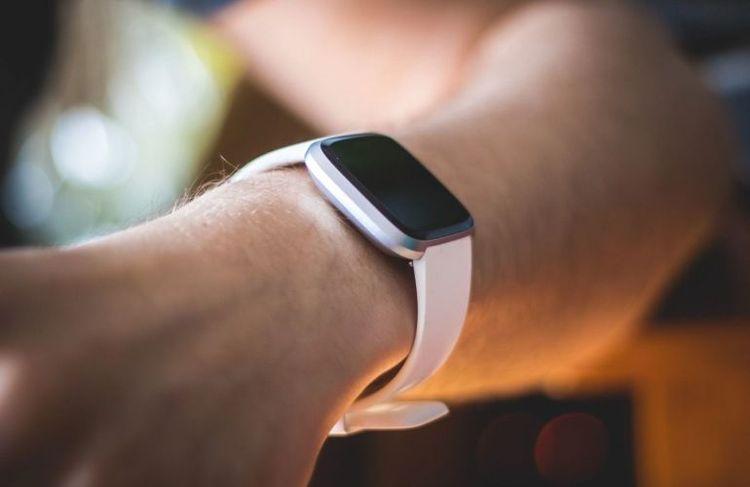
The best smartwatch for seniors with fall detection shortens that response window automatically. These devices use onboard sensors to recognize when a fall occurs, then alert emergency contacts or a 24-hour monitoring center without the wearer having to press a single button. That hands-free response is what sets fall detection smartwatches apart from other wearable safety tools.
This guide reviews seven options across two categories: consumer smartwatches (Apple, Samsung, Garmin) and dedicated medical alert smartwatches (Bay Alarm Medical, Medical Guardian, Lively, Fitnus). Each is evaluated on fall detection reliability, ease of use, battery life, GPS capability, and total cost of ownership. The right choice depends on lifestyle, fall risk level, and comfort with technology.
At a Glance: Quick Summary
| Feature | Key Considerations |
|---|---|
| Primary audience | Adults 65+, caregivers, healthcare providers |
| Fall detection types | Hard fall (consumer watches) vs. hard and soft fall (medical alert watches) |
| Monitoring options | 911 direct (consumer) or 24/7 monitoring center (medical alert) |
| Monthly cost range | $0 (Apple Watch, data plan only) to $65+/month (premium medical plans) |
| Battery life range | 18 hours (Apple Watch) to 14+ days (Garmin Venu 3) |
| Requires smartphone | Apple Watch (iPhone required) vs. standalone (Bay Alarm, Lively, Fitnus) |
| When to see a doctor | After any fall, regardless of apparent injury, for a fall risk assessment |
What Makes a Smartwatch Good for Seniors?
A good senior smartwatch does more than tell time. For older adults, usability and safety features carry more weight than app ecosystems or fitness tracking dashboards.
Large, readable display. Smaller screens and tiny fonts create friction for seniors, especially those with reduced visual acuity. A display of at least 1.5 inches with adjustable font size is the baseline.
Automatic fall detection. Manual SOS buttons require the wearer to be conscious and able to press them. Automatic fall detection triggers an alert even when the wearer cannot respond. The NIH National Institute on Aging notes that prompt response after a fall supports better recovery outcomes, which is what makes this automation medically meaningful.
GPS location tracking. For seniors who live independently or go out regularly, GPS tracking allows emergency responders or caregivers to locate the wearer quickly, regardless of whether the senior can communicate their location. A healthcare provider can advise on whether GPS-enabled monitoring is appropriate for a specific senior's situation.
Simple interface. Consumer smartwatches offer hundreds of features that can be confusing and discouraging for first-time wearers. The most senior-friendly options limit on-screen complexity to the functions that matter most: time, SOS, and health alerts.
Water resistance. Bathrooms are among the higher-risk environments for falls among older adults. A watch rated IP67 or higher can be worn in the shower, which extends protection to moments when it is often needed.
Emergency contact and monitoring options. Some watches call 911 directly; others connect to a staffed monitoring center that can assess the situation and escalate appropriately. The right choice depends on the senior's living situation and care needs.

How Fall Detection Works on Smartwatches
Fall detection on a smartwatch relies on a combination of an accelerometer (which measures motion and impact) and a gyroscope (which detects orientation and rotation). When both sensors register a pattern consistent with a sudden fall, the watch initiates a response sequence.
Research published in BioMedical Engineering OnLine identified several key technical challenges in fall detection design, including distinguishing genuine falls from vigorous everyday movements such as sitting down quickly or setting down a heavy object. More recent algorithms, including AI-powered models on newer devices, have improved this discrimination by learning individual movement baselines over time.
A 2023 systematic review in the Journal of Medical Systems analyzing smartwatch-based fall detection found meaningful variation in sensitivity and specificity across devices and algorithms. Overall accuracy in controlled settings reached approximately 89%, though real-world performance varied based on fall type, wrist placement, and algorithm version.
Hard falls vs. soft falls. This distinction matters for seniors specifically. A hard fall involves a sudden impact, such as tripping and hitting the floor abruptly. A soft fall involves a slower, lower-force descent, such as sliding off a chair or gradually sinking to the floor. Consumer smartwatches like the Apple Watch are calibrated primarily for hard fall detection. Dedicated medical alert smartwatches are typically more sensitive to soft fall patterns, which tend to be more common in older adults.
The response sequence. After detecting a fall, the watch vibrates and displays a prompt asking whether the wearer needs help. If there is no response within 15 to 60 seconds (depending on the device), the watch automatically contacts emergency services or a monitoring center. Most devices also share the wearer's GPS coordinates at the time of the alert.
False alarms. High sensitivity increases the chance of false positives. Most modern devices include a cancellation window so wearers can dismiss alerts triggered by sudden arm movements, exercise, or dropping the watch. Managing sensitivity settings is covered in the setup section below.

Top 7 Smartwatches for Seniors With Fall Detection in 2026
1. Apple Watch Series 11: Best for Tech-Savvy Seniors in the Apple Ecosystem
Best for: Active seniors who already own an iPhone and are comfortable with technology.
The Apple Watch Series 11 is one of the most capable consumer smartwatches available, with a fall detection system refined across multiple hardware generations. Fall detection activates automatically for users who enter a birth year of 55 or older during setup. The watch calls emergency services and notifies emergency contacts if the wearer is unresponsive after a detected fall.
Fall detection type: Hard falls only. The Apple Watch does not reliably detect soft falls, such as a slow collapse to the floor, which are more common in older adults with mobility challenges. For seniors with an elevated fall risk, this is a practical limitation worth weighing before purchase.
Key safety features:
- ECG (electrocardiogram) monitoring and irregular heart rhythm notifications, particularly useful for seniors managing heart disease risk factors
- Crash detection
- Emergency SOS with location sharing
- Medication reminders (watchOS 10 and later)
- Calls 911 directly (no monitoring center)
Battery life: Up to 36 hours in low-power mode; standard use runs 18 to 24 hours.
Requires: A paired iPhone running iOS 17 or later. The watch will not function for fall detection without an active iPhone connection or its own cellular plan.
Cost: Starting at $399 (device only). Cellular plan adds approximately $10 to $15 per month through most carriers. No monitoring subscription required.
Limitation to note: Apple Watch requires consistent daily charging. If charging is missed, fall detection is unavailable until the device is recharged. For seniors who live alone and may have less predictable routines, this is worth discussing before purchase.
2. Samsung Galaxy Watch 7: Best for Android Users
Best for: Seniors with Android smartphones who want a capable, stylish wearable.
The Samsung Galaxy Watch 7 offers fall detection through Samsung's Emergency SOS feature. When a fall is detected, it sends an SOS message with GPS location to preset emergency contacts and can call emergency services automatically if the wearer is unresponsive.
Fall detection type: Hard falls primarily. Detection accuracy is supported by the watch's BioActive sensor, which simultaneously tracks heart rate, body composition, and movement patterns. This makes it a reasonable option for seniors living with ischemic heart disease or other chronic conditions who want passive health monitoring alongside safety features.
Key safety features:
- Fall detection with location sharing via SMS to contacts
- Blood oxygen monitoring
- Energy Score (daily readiness metric based on sleep and activity data)
- Emergency SOS calling
- Advanced sleep tracking
Battery life: Up to 40 hours in power-saving mode; standard use averages 24 to 30 hours.
Requires: Android phone running Android 10 or later (limited features with iPhone).
Cost: Starting at approximately $300 (device only). No monitoring subscription required; uses the connected phone's data plan.
Limitation to note: Fall detection must be manually enabled in the Samsung Health Monitor app and does not activate automatically based on age. Anyone setting up the watch for a senior should confirm this setting is turned on before the senior begins wearing it.
3. Bay Alarm Medical SOS Smartwatch: Best Overall Value for Dedicated Monitoring
Best for: Seniors who live alone or have a moderate-to-high fall risk and want professional 24/7 monitoring.
The Bay Alarm Medical SOS Smartwatch is purpose-built for senior safety rather than general consumer use. It connects directly to a 24-hour monitoring center, operates independently without a paired smartphone, and uses an AI-powered fall detection algorithm designed to reduce false alarms while maintaining sensitivity to genuine events.
Fall detection type: Automatic, AI-enhanced detection. The algorithm learns individual movement patterns over time, improving its ability to distinguish genuine falls from vigorous daily activity.
Key safety features:
- AI-powered automatic fall detection
- 24-hour emergency response monitoring through a staffed US-based center
- Built-in cellular (does not require a paired phone)
- GPS location tracking with caregiver app access
- Two-way voice communication through the watch
- IP67 water resistance (shower-safe)
- Step tracking and heart rate monitoring
Battery life: Typically 6 to 18 hours depending on cellular signal strength and screen brightness. Daily charging is required.
Cost: One-time device fee approximately $159 to $199. Monthly monitoring starts at $39.95/month; the fall detection plan runs $49.95/month. Estimated first-year total: approximately $760 to $800.
Limitation to note: Battery life is the primary trade-off. Establishing a consistent daily charging routine, paired with a habit such as a morning routine or bedtime, helps ensure the device is always powered.
4. Garmin Venu 3: Best for Active Seniors Who Spend Time Outdoors
Best for: Active seniors who hike, cycle, swim, or garden, and prefer a device that does not look like medical equipment.
The Garmin Venu 3 does not connect to a traditional medical alert monitoring center. Instead, it uses Garmin's Incident Detection feature, which detects potential falls or incidents during outdoor GPS activities and automatically sends the wearer's location to emergency contacts via the Garmin Connect app.
Fall detection type: Incident Detection during GPS-tracked activities (walking, running, cycling, hiking). Does not activate during sedentary periods or when indoors without a GPS workout in progress.
Key safety features:
- Incident Detection with GPS coordinate sharing to contacts
- Health Snapshot for on-demand vitals
- Pulse Ox (blood oxygen) monitoring
- Sleep tracking with Nap Detection
- Body Battery energy monitoring, which tracks daily fatigue levels and can help identify patterns worth discussing with a doctor, including whether high blood pressure may be contributing to tiredness
- Built-in music storage and Garmin Pay
- Available in a smaller case size (Venu 3S) for narrower wrists
Battery life: Up to 14 days in smartwatch mode, which is the longest battery life in this review by a significant margin.
Requires: Garmin Connect app (available for iOS and Android). No monthly monitoring subscription.
Cost: Approximately $350 to $450 (device only). No subscription required.
Limitation to note: Incident Detection only works during active GPS workouts. A senior who falls at home while not on a tracked activity will not trigger an alert. This device is not suitable as a primary safety tool for seniors with limited mobility or a high risk of indoor falls.
5. Medical Guardian MGMove: Best Caregiver App and Monitoring Portal
Best for: Families who want real-time location tracking and communication tools alongside emergency monitoring.
The Medical Guardian MGMove is a dedicated medical alert smartwatch with a strong emphasis on caregiver connectivity. Its primary advantage is the Medical Guardian app, which gives family members or caregivers real-time GPS tracking, activity summaries, and immediate notifications when the SOS button is pressed.
Fall detection type: Automatic fall detection is available as a monthly add-on. The base plan does not include it.
Key safety features:
- Manual SOS button (large, clearly labeled)
- Optional automatic fall detection
- GPS location tracking with real-time caregiver app access
- Shake-to-wake activation (no button press needed to initiate an alert)
- Two-way voice communication through the watch
- Basic text messaging with preset reply options
- Step tracking
- IP67 water resistance
Battery life: Up to 24 hours. Requires daily charging.
Cost: Device fee approximately $199. Base monitoring plan $42.95/month. Fall detection add-on is $10/month. Estimated first-year total with fall detection: approximately $850.
Limitation to note: Fall detection is not included in the base plan. When that feature is added, the MGMove becomes the highest-cost option in this review. The caregiver portal depth is the primary reason to choose it over lower-cost alternatives.
6. Lively Wearable2: Best for Seniors Who Want Maximum Simplicity
Best for: Seniors with no interest in smartwatch features who need a straightforward, reliable safety device.
The Lively Wearable2 is not a smartwatch in the traditional sense. It has no display screen. It is a waterproof wristband with a single large button that connects directly to Lively's 24/7 Urgent Response agents. This simplicity is its defining advantage for seniors who find touchscreens or multi-function devices confusing.
Fall detection type: Automatic fall detection is available through the Lively Mobile Plus, a separate base unit that must be carried in a pocket or bag. The wristband itself does not include onboard fall detection; it functions as a manual SOS trigger.
Key safety features:
- Waterproof to 3 feet (IPX7 rated)
- Connects to Lively's 24/7 Urgent Response center
- Battery lasts up to 3 months with regular use, no daily charging needed
- Urgent Response agents can contact emergency services or family members
- Optional Nurse On-Call service for non-emergency health questions
Cost: Device fee starting around $49.99. Monthly monitoring plans begin at $24.99/month.
Limitation to note: Because automatic fall detection requires carrying the separate Mobile Plus unit, the Lively Wearable2 is less practical for seniors who want a single wrist-worn solution. A healthcare provider can advise on whether this setup fits an individual's daily routine.
7. Fitnus Smartwatch for Seniors: Best Budget Consumer Option
Best for: Budget-conscious buyers who want a senior-friendly interface without a monitoring subscription.
The Fitnus smartwatch is designed for older adults with a simplified interface, large display, and one-touch SOS functionality that sends an alert with GPS location to preset emergency contacts. It does not include professional monitoring or a staffed response center.
Fall detection type: Basic motion-based fall detection with a manual SOS backup button. Independent peer-reviewed validation of its real-world detection accuracy is not publicly available, so this device is best suited to seniors at low fall risk.
Key safety features:
- Large display with simplified menu
- One-touch SOS with GPS location sharing to contacts
- Heart rate and blood oxygen monitoring
- Step tracking and sleep monitoring
- IP67 water resistance
- Medication reminders
Battery life: Up to 7 days in standard mode.
Cost: Approximately $50 to $80 (device only). No monthly subscription required.
Limitation to note: The Fitnus notifies emergency contacts rather than a professional monitoring center. If contacts are unavailable or do not respond promptly, there is no backup response pathway. This device is appropriate for seniors at low fall risk who have reliable, responsive contacts nearby.

Comparison: All 7 Smartwatches at a Glance
| Watch | Fall Detection | Monitoring | Battery | First-Year Est. Cost | Requires Phone |
|---|---|---|---|---|---|
| Apple Watch Series 11 | Hard falls only | 911 direct | 18 to 36 hrs | $520+ | Yes (iPhone) |
| Samsung Galaxy Watch 7 | Hard falls primarily | 911 direct | 24 to 40 hrs | $300 to $420 | Yes (Android) |
| Bay Alarm SOS Smartwatch | AI-enhanced, hard and soft | 24/7 center | 6 to 18 hrs | ~$760 | No |
| Garmin Venu 3 | Incident Detection (outdoors only) | Contacts only | 14 days | $350 to $450 | No |
| Medical Guardian MGMove | Add-on only | 24/7 center | Up to 24 hrs | ~$850 | No |
| Lively Wearable2 | Via separate unit | 24/7 center | 3 months | ~$350 | No |
| Fitnus | Basic motion-based | Contacts only | 7 days | $50 to $80 | No |
Medical Alert Smartwatch vs. Standalone Medical Alert Device
Many seniors are already familiar with traditional medical alert pendants, which hang around the neck and feature a single button. Understanding how smartwatches compare helps narrow the decision.
Standalone medical alert device (pendant or clip):
- Single function: SOS only
- Often uses more sensitive fall detection algorithms, as the device is worn closer to the body's center of mass
- No daily charging for some models, with battery life lasting months
- Some seniors find pendants more conspicuous than a wristwatch
- Typically lower monthly monitoring cost
Medical alert smartwatch:
- Resembles a regular wearable, which can support consistent daily wear
- Combines safety with health monitoring features such as heart rate, steps, sleep data, and in some cases ECG readings that can flag changes worth reviewing alongside metrics like ejection fraction with a cardiologist
- Requires daily or near-daily charging
- May include caregiver apps and GPS tracking not available in basic pendants
Research from the National Institute on Aging and fall prevention specialists consistently note that the most effective safety device is the one a senior will wear reliably. Seniors who resist wearing a pendant may be more willing to wear a watch, making wearability a legitimate factor in device selection.
For seniors with specific medical conditions such as epilepsy or a seizure disorder, a doctor can advise on individual cases and whether a smartwatch-based solution is appropriate, or whether a purpose-built medical device better fits clinical needs.
Key Buying Criteria: What to Prioritize
1. Fall detection type relative to fall risk. Seniors at elevated fall risk who are more likely to experience soft falls or slow-onset collapses should prioritize dedicated medical alert watches with broader detection sensitivity. Consumer smartwatches calibrated for hard falls may not register those fall types.
2. Cellular independence. Watches that require a paired smartphone only function when the phone is nearby. In a fall at home, the phone may be in another room. Standalone cellular devices such as Bay Alarm Medical, Medical Guardian, and Lively do not have this dependency.
3. Battery life and charging routine. A device that has run out of charge provides no protection. Longer battery life, such as Garmin's 14-day rating or Lively's 3-month rating, reduces the risk of unintentional gaps in coverage. For seniors who have less consistent daily routines, longer battery life is a meaningful practical consideration.
4. Monitoring center vs. 911. A 24/7 monitoring center can assess a situation before dispatching emergency services, contact family members, and make contextual decisions that automated 911 dialing cannot. For seniors with complex medical histories or specific care preferences, this staffed response layer may be preferable.
5. Caregiver app capabilities. Families managing care from a distance benefit from watches that share real-time GPS and activity data. The Medical Guardian MGMove and Bay Alarm Medical SOS Smartwatch both support caregiver-facing apps with location access and alert history.
6. Total 12-month cost of ownership. The device price is only part of the equation. Medical alert watches typically carry monthly monitoring fees that add $300 to $780 annually. A consumer smartwatch may have a higher upfront cost but no ongoing monthly fee.
Tips for Setting Up a Senior's Smartwatch
Initial setup has a direct impact on long-term reliability. A watch that is configured incorrectly or incompletely will not provide the protection it is designed to offer.
1. Add emergency contacts before the first wear. All fall detection systems require at least one designated contact to notify. Setting up two or more contacts provides a backup if one is unreachable.
2. Enable fall detection manually if required. Samsung Galaxy Watch and Apple Watch require fall detection to be turned on in settings. It is not active by default on all devices. Confirm this step at setup.
3. Set the correct birth year or age. On Apple Watch, automatic fall detection for seniors activates when the wearer's age is entered as 55 or older during iPhone pairing. An incorrect age entry will disable this feature.
4. Test the SOS function. Most monitoring centers allow test calls at setup. Testing the SOS flow, including confirming the watch reaches the center and that the center's number appears on the senior's caller ID, prevents confusion in a real situation.
5. Establish a daily charging routine. For watches requiring daily charging, pairing the routine with a consistent daily habit such as a morning coffee or bedtime routine reduces the chance of a depleted battery during waking hours.
6. Set fall detection sensitivity where available. Some devices allow sensitivity adjustment. Higher sensitivity catches more falls but also generates more false alarms. A setting appropriate to the senior's activity level can typically be calibrated during the first week of use.
7. Confirm water resistance before showering. Most watches in this guide are rated IP67 or higher, meaning they can handle shower exposure. Confirm the specific rating for the chosen device before the senior begins wearing it in the shower.
If setting up a device for a senior with early cognitive decline, consulting with an occupational therapist or a healthcare provider near you can help identify the most appropriate device and usage routine for that individual.
Frequently Asked Questions
Q1: What is the best smartwatch for an elderly person who lives alone?
For seniors living alone, a dedicated medical alert smartwatch connected to a 24/7 monitoring center provides the most complete response pathway. The Bay Alarm Medical SOS Smartwatch and the Medical Guardian MGMove both operate without a nearby smartphone and connect to a staffed center rather than calling 911 automatically. Consumer smartwatches such as Apple Watch or Samsung Galaxy Watch are better suited to seniors at lower fall risk who have reliable contacts nearby and consistently carry an iPhone or Android phone.
Q2: Does Apple Watch have fall detection for seniors?
Yes. Apple Watch Series 4 and later include automatic fall detection. The feature activates when the wearer's age is entered as 55 or older during setup, or it can be enabled manually in the Watch app under Emergency SOS settings. Apple Watch fall detection is calibrated primarily for hard falls and has limited sensitivity to soft falls, which are more common among older adults. It calls 911 directly and notifies emergency contacts rather than connecting to a monitoring center.
Q3: What smartwatches have built-in fall detection?
Several watches include fall detection: Apple Watch (Series 4 and later), Samsung Galaxy Watch (Series 4 and later), Garmin watches with Incident Detection during GPS activities, Bay Alarm Medical SOS Smartwatch, Medical Guardian MGMove, and UnaliWear Kanega Watch. Detection algorithms, fall types detected, and response pathways differ meaningfully across these devices.
Q4: Can a smartwatch detect if someone has had a seizure?
No consumer smartwatch is currently FDA-cleared to detect seizures. Some devices can detect unusual movements or elevated heart rate patterns that may occur alongside certain seizure types, but these signals are not reliable or specific enough for clinical use. The Embrace2 by Empatica is an FDA-cleared wearable designed specifically for convulsive seizure detection. A doctor can advise on appropriate devices for seniors with epilepsy or other seizure disorders.
Q5: Do I need cellular on a senior's smartwatch for fall detection to work?
It depends on the device. Apple Watch and Samsung Galaxy Watch can use fall detection when a paired phone is nearby, but if the phone is in another room or the senior has moved away from it, the alert may not transmit. Dedicated medical alert smartwatches from Bay Alarm Medical, Medical Guardian, and Lively include built-in cellular and operate independently of a paired phone, which is the more reliable setup for seniors who live alone.
Q6: What is the difference between a medical alert device and a smartwatch with fall detection?
A traditional medical alert device is purpose-built for emergency response. It typically has one function, a longer battery life, and is worn close to the body's center of mass, which may support more accurate fall detection. A consumer smartwatch with fall detection combines emergency features with a broader health and connectivity platform, but typically contacts 911 or preset contacts rather than a staffed monitoring center. Medical alert smartwatches combine the form factor of a smartwatch with dedicated 24/7 monitoring center access, placing them between both categories.
Conclusion
Choosing the best smartwatch for seniors with fall detection comes down to matching the device's capabilities to the senior's specific situation. An active, tech-savvy senior at low fall risk may find the Apple Watch or Samsung Galaxy Watch 7 suitable. A senior who lives alone and has a history of falls is likely better served by a dedicated medical alert smartwatch with 24/7 monitoring and standalone cellular.
Battery life, fall detection type, monitoring setup, and ease of use each carry different weight depending on the individual. The Garmin Venu 3 works well for outdoor-active seniors who want long battery life without a subscription. The Bay Alarm Medical SOS Smartwatch offers the strongest combination of AI-enhanced detection and professional monitoring. The Lively Wearable2 fits seniors who want reliable protection without any smartphone or charging complexity.
For guidance on fall prevention and whether a specific device fits a senior's medical profile, speaking with a healthcare provider is always a worthwhile step. Virtual primary care is one option for seniors who prefer not to travel to a clinic for this type of conversation. An AI healthcare navigator can help identify the right questions to bring to that appointment, or help locate a doctor near you who works in geriatric care or fall prevention.