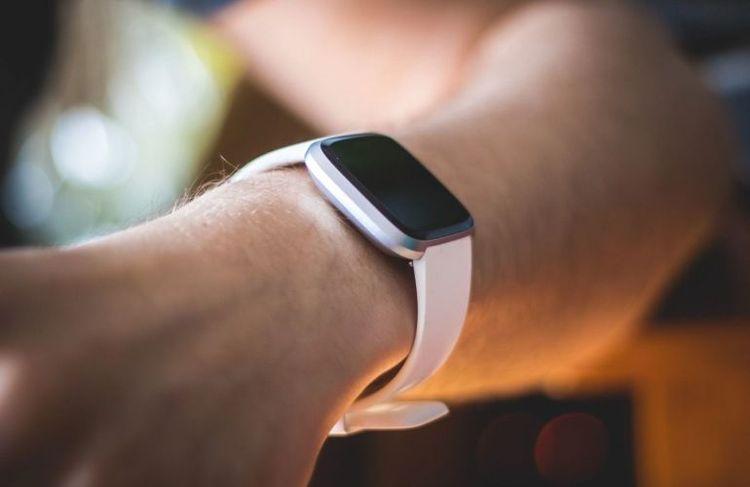

Learning how to use a continuous glucose monitor correctly makes a real difference in how much useful data a person gets from the device. A CGM does more than replace fingerstick checks; it shows glucose trends in real time, around the clock, so people with diabetes and their care teams can make better-informed decisions. This guide covers everything from how a CGM works and where to place the sensor, to how to protect it during exercise, and how to remove it safely when the time comes.
At a Glance
| Topic | Key Facts |
|---|---|
| What it measures | Glucose in interstitial fluid (fluid between cells), not directly in blood |
| Reading frequency | Approximately every 1 to 5 minutes, depending on the device |
| Common sensor sites | Back of upper arm, abdomen, upper buttocks (varies by device and age) |
| Sensor wear time | 10 to 15 days for most current models |
| Does it hurt? | Most users report a brief pinch on insertion; discomfort typically resolves within seconds |
| Water resistance | Most CGMs are water-resistant; some are rated for submersion up to a specified depth |
| Who it's for | People with type 1 or type 2 diabetes; OTC models now available for adults without diabetes |
What Is a CGM and How Does It Measure Glucose?
A continuous glucose monitor (CGM) is a wearable medical device that tracks glucose levels automatically, day and night, without requiring a fingerstick for every reading.
The device works by measuring glucose in interstitial fluid, which is the fluid that surrounds the cells just beneath the skin, rather than drawing blood directly. A tiny filament called a sensor wire sits just under the skin and detects glucose electrochemically. According to a review published in the Journal of Diabetes Science and Technology, CGM devices measure interstitial glucose every one to five minutes and transmit that data wirelessly to a receiver, smartphone app, or compatible insulin pump.
The sensor connects to a small transmitter that sits flat against the skin. That transmitter sends readings via Bluetooth to a display device, where users can see their current glucose level, a trend arrow showing whether glucose is rising or falling, and a chart of values over time. People who want to track blood sugar continuously without repeated fingersticks find this approach particularly useful.
One distinction worth knowing: interstitial glucose readings lag behind blood glucose by approximately five to fifteen minutes. Research published in Diabetes Care by Siegmund et al. (2020) confirmed this physiological delay, which is why CGM readings and fingerstick results can differ, particularly when glucose is changing rapidly. This is normal device behavior, not a malfunction. Users who want to confirm a CGM reading can calibrate with a standard glucose meter using a fresh fingerstick sample.
The American Diabetes Association's Standards of Care 2025 recommends CGM use for people with type 1 and type 2 diabetes who use insulin, citing improvements in time in range and reductions in hypoglycemia.

Step-by-Step: How to Insert a Continuous Glucose Monitor
How a continuous glucose monitor is inserted depends on the specific device, but the general process is consistent across most current models. The two most widely used CGMs in the US are the Dexcom G7 and the Abbott FreeStyle Libre 3 Plus.
Before insertion (for all devices):
- Wash hands thoroughly with soap and water and dry completely. Lotion or moisturizing soap residue can interfere with adhesion.
- Clean the sensor site with an alcohol swab and allow it to air dry fully. Placing a sensor on damp skin weakens the adhesive and may affect accuracy in the first hour.
- Check the sensor and transmitter packaging for the expiration date before opening.
Dexcom G7 insertion (per the Dexcom G7 User Guide):
- Remove the sensor applicator from the sealed tray.
- Peel the adhesive liner from the base of the applicator.
- Press the applicator firmly against the chosen site.
- Press the button to release the sensor. The insertion is automatic.
- Gently pull the applicator straight away from the skin. The sensor and transmitter remain in place.
- Open the Dexcom app on a compatible smartphone and follow the pairing prompts. The G7 has a 30-minute warm-up period before readings begin.
FreeStyle Libre 3 Plus insertion (per the Abbott FreeStyle Libre 3 User Guide):
- Remove the sensor applicator from the packaging.
- Place the applicator flat against the back of the upper arm at the chosen site.
- Press down firmly until a click is heard or felt. The sensor is automatically inserted.
- Lift the applicator straight away. The sensor remains on the skin.
- Open the FreeStyle LibreLink app and scan or tap to activate. The Libre 3 Plus has a one-hour warm-up period.
The JDRF notes that the first 24 hours of sensor wear may produce slightly less accurate readings as the sensor stabilizes in the interstitial tissue. This is a known characteristic across CGM brands, not a malfunction.
Where to Place a CGM Sensor (Best Sites and Tips)
The best place to put a continuous glucose monitor depends on the device, the user's age, and personal preference within FDA-approved parameters.
FDA-approved placement sites by device:
| Device | Approved Sites (Adults) | Approved Sites (Under 18) |
|---|---|---|
| Dexcom G7 | Back of upper arm, abdomen | Back of upper arm (ages 2+) |
| FreeStyle Libre 3 Plus | Back of upper arm | Back of upper arm (ages 4+) |
| Dexcom G6 | Abdomen, back of upper arm | Lower back/upper buttocks (ages 2 to 17) |
The back of the upper arm is the most common and broadly approved site. It tends to have adequate subcutaneous fat, stays relatively still during movement, and is less prone to compression while sleeping compared to abdominal sites.
Practical placement tips:
- Rotate sites with each new sensor. Using the same spot repeatedly can lead to scar tissue buildup, which may reduce accuracy over time.
- Keep at least 1 inch of separation from previous insertion sites.
- Avoid areas with scarring, tattoos, significant hair, irritated skin, or bony prominences.
- For abdominal placement (where approved), stay at least 2 inches away from the belly button and 3 inches from any insulin injection sites.
- Choose a site where clothing will not rub directly against the sensor edge.

Does Inserting a CGM Hurt? What to Expect
Most people report that CGM insertion feels like a brief pinch, similar to a fingerstick or a small injection, that resolves within a few seconds.
The sensor needle, called a trocar, is very fine. It introduces the flexible sensor wire under the skin and then retracts automatically, leaving only the thin filament in place. After the applicator is removed, most users report feeling nothing from the sensor itself during normal wear.
The JDRF describes the insertion experience as a quick pinch and notes that most users stop noticing the sensor is there within the first day of wear. Some people with sensitive skin or anxiety around needles find that applying a topical numbing cream, such as over-the-counter lidocaine, to the site 30 to 45 minutes before insertion reduces the sensation further. A doctor can advise on whether that is appropriate for individual cases.
Common first-day sensations that are normal:
- Mild itching or tingling at the insertion site as the skin adjusts
- Slight redness around the adhesive patch edges (usually resolves within 24 hours)
- Readings that seem slightly off during the warm-up window
If discomfort at the site does not settle within a few hours, or if the area becomes notably swollen or red, removing the sensor and checking in with a healthcare provider is the appropriate next step.
Does a continuous glucose monitor have a needle? CGM applicators contain a small insertion needle that places the sensor wire and then retracts. The needle does not remain in the body. Only the thin, flexible sensor filament stays under the skin during wear. This is different from a lancing device, which is used separately for fingerstick blood glucose checks.
How Long Does a CGM Sensor Last?
Current CGM sensors are designed for single-use wear periods ranging from ten to fifteen days, depending on the device.
| Device | Wear Duration |
|---|---|
| Dexcom G7 | 10 days (plus a 12-hour grace period) |
| FreeStyle Libre 3 Plus | 15 days |
| Eversense E3 (implantable) | Up to 180 days |
The app or receiver will alert the user when a sensor is approaching its end-of-life window. Extending wear beyond the manufacturer's approved duration is not recommended, as sensor accuracy typically declines after the validated wear period ends.
The ADA Standards of Care 2025 notes that consistent CGM wear, defined as using the device at least 70% of the time, is associated with meaningful improvements in glucose management, including better time in range and lower A1C. Replacing sensors on schedule is part of achieving that consistency.
How to Wear and Protect Your CGM: Patches, Stickers, and Covers
CGM adhesive patches are designed to stay on through daily activities, but some users find the factory adhesive lifts at the edges, particularly in warm weather, during heavy sweating, or when swimming.
Continuous glucose monitor patches and stickers are thin adhesive overlays that go on top of the sensor to reinforce its hold. They come in sizes cut to fit specific CGM models, and many are available in colors or patterns. Brands like Skin Tac, Tegaderm, and manufacturer-supplied overlays are commonly used options. These are sometimes called glucose monitor patches or glucose monitoring patches.
Continuous glucose monitor covers are a different category, typically silicone or fabric sleeves that slide over the transmitter to protect it from bumps, snags on clothing, or minor impacts. They do not improve adhesion but can protect the transmitter housing during high-contact activities.
Practical tips for keeping a sensor in place:
- Apply the sensor to dry, clean skin. Even trace amounts of lotion, sunscreen, or sweat will reduce adhesion.
- For high-activity days, applying a medical-grade adhesive spray such as Skin Tac around the patch edges before exercise adds holding power.
- In humid climates or during summer months, an overlay patch applied immediately after insertion is a useful preventive measure.
- Avoid picking at the adhesive edges, as lifting the edge allows moisture underneath and accelerates detachment.
A note on Vitamin C and CGM accuracy: According to the Dexcom G7 User Guide and the Abbott FreeStyle Libre 3 User Guide, neither current device is meaningfully affected by normal dietary or supplemental Vitamin C intake at standard doses. A doctor can advise on any concerns about supplement interactions for individual cases.
Can You Swim or Exercise With a CGM?
Most CGMs are rated water-resistant, and many handle submersion for swimming.
The Dexcom G7 is rated water-resistant to 8 feet (2.4 meters) for up to 24 hours, per the Dexcom G7 User Guide. The FreeStyle Libre 3 Plus carries an IP28 water resistance rating, meaning it is protected against water immersion up to 1 meter deep for 30 minutes, according to the Abbott FreeStyle Libre 3 User Guide.
What this means in practice:
- Showering and bathing are fine with either device, with no additional protection needed.
- Recreational swimming in a pool or the ocean is generally within the water-resistance ratings, assuming depth and duration stay within specifications.
- Scuba diving or extended deep-water activity exceeds the rated limits of most consumer CGMs. Checking the specific device's documentation before any such activity is advisable.
- Pat the transmitter gently dry after swimming rather than rubbing it, to avoid stressing the adhesive edges.
For exercise, CGMs function normally during virtually all land-based activities. Monitoring glucose trends and alerts during workouts gives users and their care teams a clearer picture of how physical activity affects glucose patterns. Applying an overlay patch before heavy training helps keep the sensor secure through sweat.

Airport security is a practical concern for CGM users. CGMs will not trigger standard metal detectors. However, full-body imaging scanners used at some checkpoints can potentially affect CGM components. The CDC advises that users inform security agents they are wearing a medical device and request a manual pat-down as an alternative to full-body scanning.
How to Safely Remove a Continuous Glucose Monitor
Removing a CGM sensor is straightforward and the process is the same regardless of brand.
Standard removal steps:
- Locate one edge of the adhesive patch and gently lift it away from the skin.
- Peel the entire adhesive patch slowly and evenly, similar to removing a bandage. Peeling slowly reduces the chance of skin irritation.
- Once the patch is free, the sensor wire pulls out with it. There is no need to pull the sensor wire separately.
- Dispose of the used sensor in household waste. The sensor wire is not classified as a sharps item and does not require a sharps container, though local disposal guidelines may vary.
If adhesive removal is uncomfortable:
- Apply a small amount of baby oil, adhesive remover such as Uni-Solve, or warm water to the patch edges and allow it to soak for 30 to 60 seconds before peeling.
- Press down gently on the transmitter housing with one finger while slowly peeling the patch edge with the other hand. This distributes tension and reduces skin pulling.
- Mild redness at the site after removal typically resolves within a few hours.
Inspect the skin after each removal. Some users develop mild contact dermatitis, which presents as redness or small bumps, from the adhesive. Rotating sites, using a thin barrier wipe under the adhesive such as Cavilon No Sting Barrier Film, and selecting hypoallergenic overlay patches can reduce the likelihood of skin reactions. A doctor or dermatologist can advise on any persistent reactions.
Frequently Asked Questions
How do you put on a continuous glucose monitor?
Clean the skin site with an alcohol swab and allow it to dry completely. Remove the sensor applicator from its sealed packaging, press it firmly against the chosen site, and activate the insertion mechanism (a button press on the Dexcom G7, or firm pressure on the FreeStyle Libre 3 Plus applicator). The applicator inserts the sensor automatically and then lifts away, leaving only the thin sensor filament and transmitter on the skin. Pair the device with its companion app and allow the warm-up period to complete before relying on readings.
Where is the best place to wear a CGM?
The back of the upper arm is the most commonly used and broadly approved site across current CGM models, and it works for most adults and children. The abdomen is approved for some devices and age groups. Placement should rotate with each new sensor to avoid repeated use of the same tissue. A healthcare provider familiar with the specific device can help identify the best site for individual anatomy and lifestyle.
Does a CGM hurt when inserted?
Most people describe the insertion as a brief pinch that passes within seconds. The insertion needle retracts automatically and does not remain in the body. During normal wear, most users do not feel the sensor. First-day sensations such as mild itching or tingling at the site are common and generally resolve on their own.
Can I shower or swim with a CGM?
Yes, with standard precautions. Both the Dexcom G7 and FreeStyle Libre 3 Plus are rated water-resistant and designed to handle showering and recreational swimming within their stated depth and time specifications. The Dexcom G7 is rated to 8 feet for up to 24 hours. The FreeStyle Libre 3 Plus carries an IP28 rating (1 meter, 30 minutes). Applying an adhesive overlay patch before extended water exposure helps maintain adhesion.
A Note on Getting Started
Starting on a CGM for the first time involves a short adjustment period. Most diabetes care teams, including certified diabetes care and education specialists (CDCES), offer device training sessions specifically for new CGM users. Those without a current provider can find a doctor near you to discuss whether a CGM is appropriate and which device fits their situation. Virtual primary care is also a practical option for initial CGM consultations and follow-up visits.
For people managing glucose and looking for support interpreting what their data means, an AI healthcare navigator can help answer questions and guide next steps between clinic visits.